

Late checks come first.
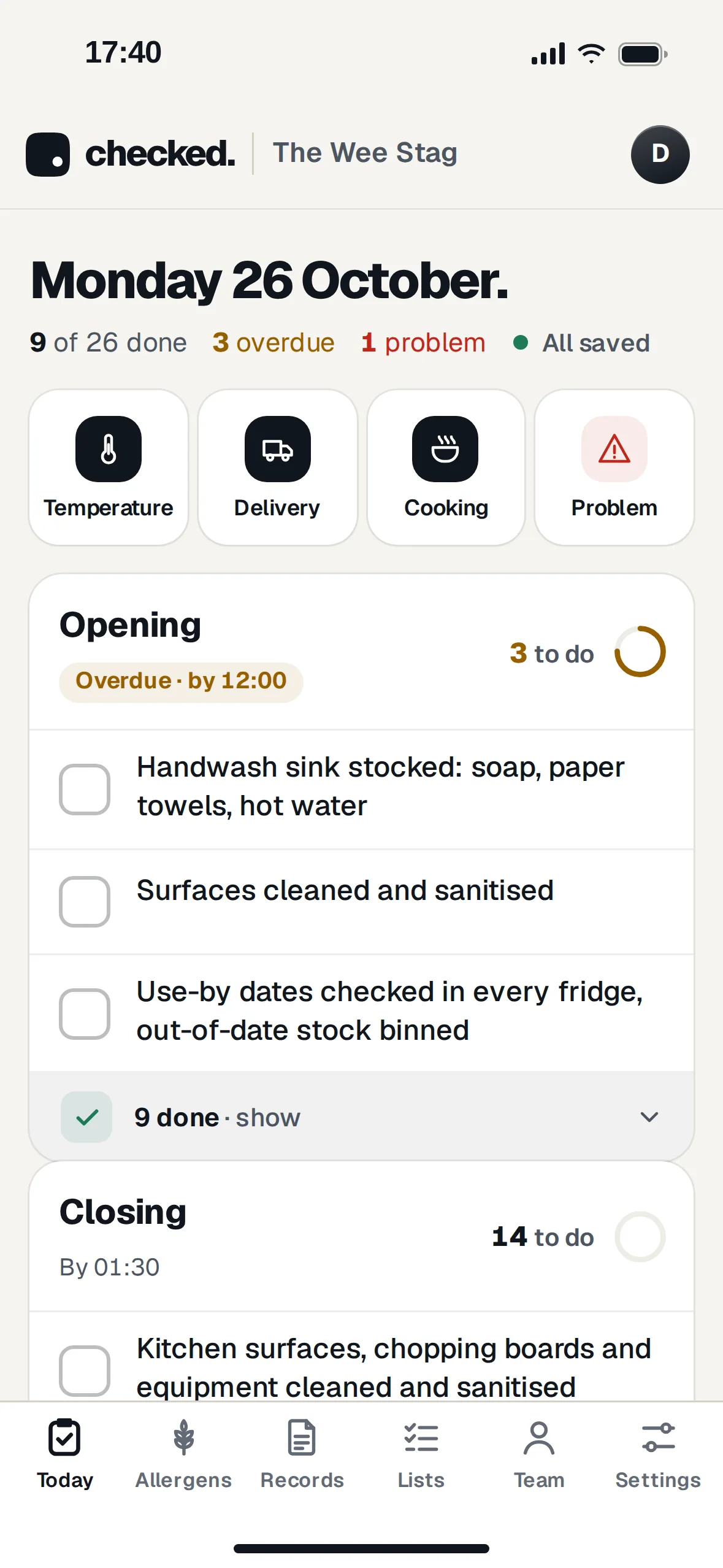
Open Checked and the first thing you see is what still needs doing. Lists that are late go first, with how late they are.
- Ticked checks fold awayThe ones already done go into a single "9 done" row. Tap it to see who did each one and when.
- Four buttons for everything elseA temperature, a delivery, something cooked, cooled or reheated, or a problem like the glasswasher not getting hot.
- Late lists get noticedIf a list isn't finished by its time, the managers get an email. It's one email per list.
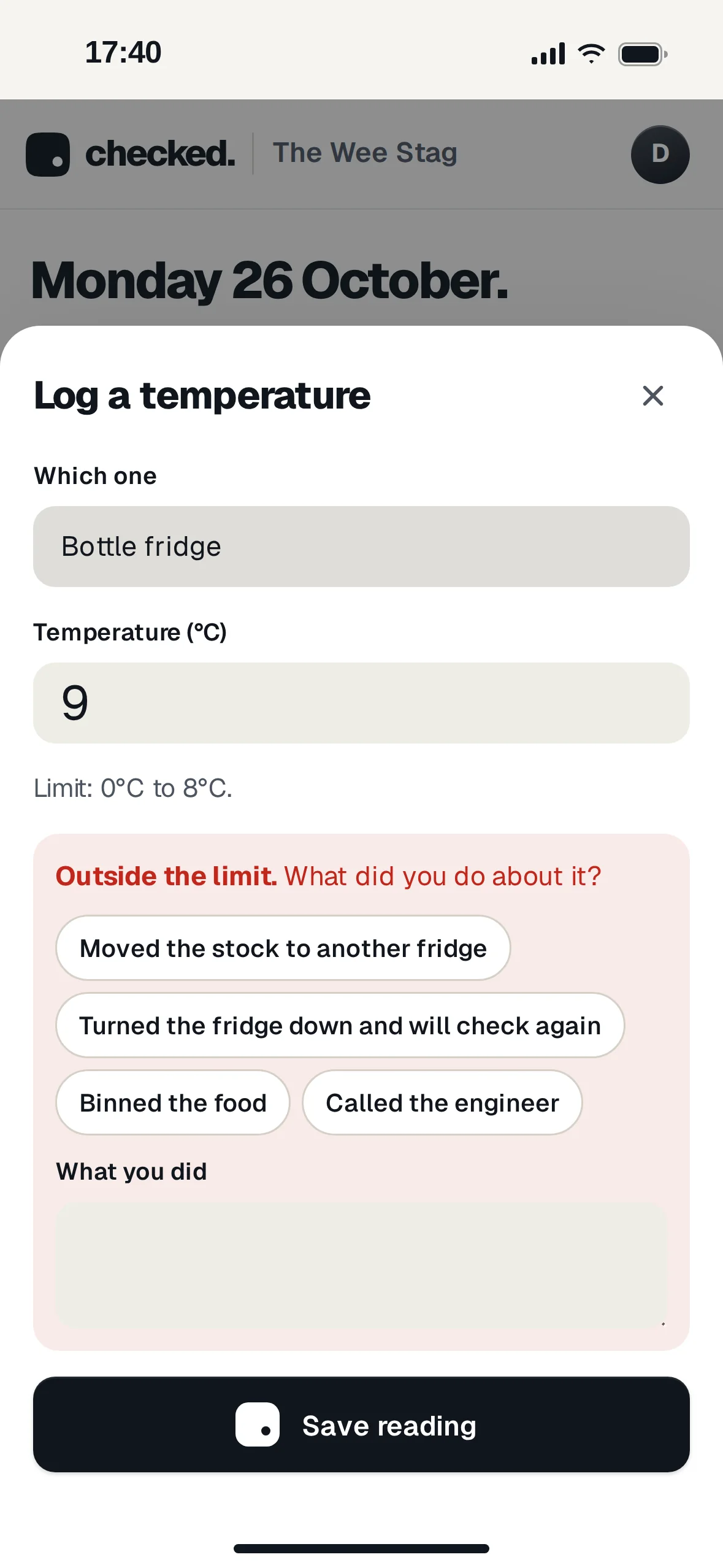
A warm fridge gets an answer.
Each fridge has its limits. Type a reading outside them and Checked asks what you did about it before it'll save.
- Common answers to tapMoved the stock, turned the fridge down, binned the food, called the engineer. Or type your own.
- The answer stays with the readingAnyone looking at the records later sees 9°C and what was done about it, side by side.
- Kitchen records tooIf you serve food: cooking, cooling, reheating and hot holding temperatures, plus deliveries with the chilled and frozen readings.
Works down in the cellar.
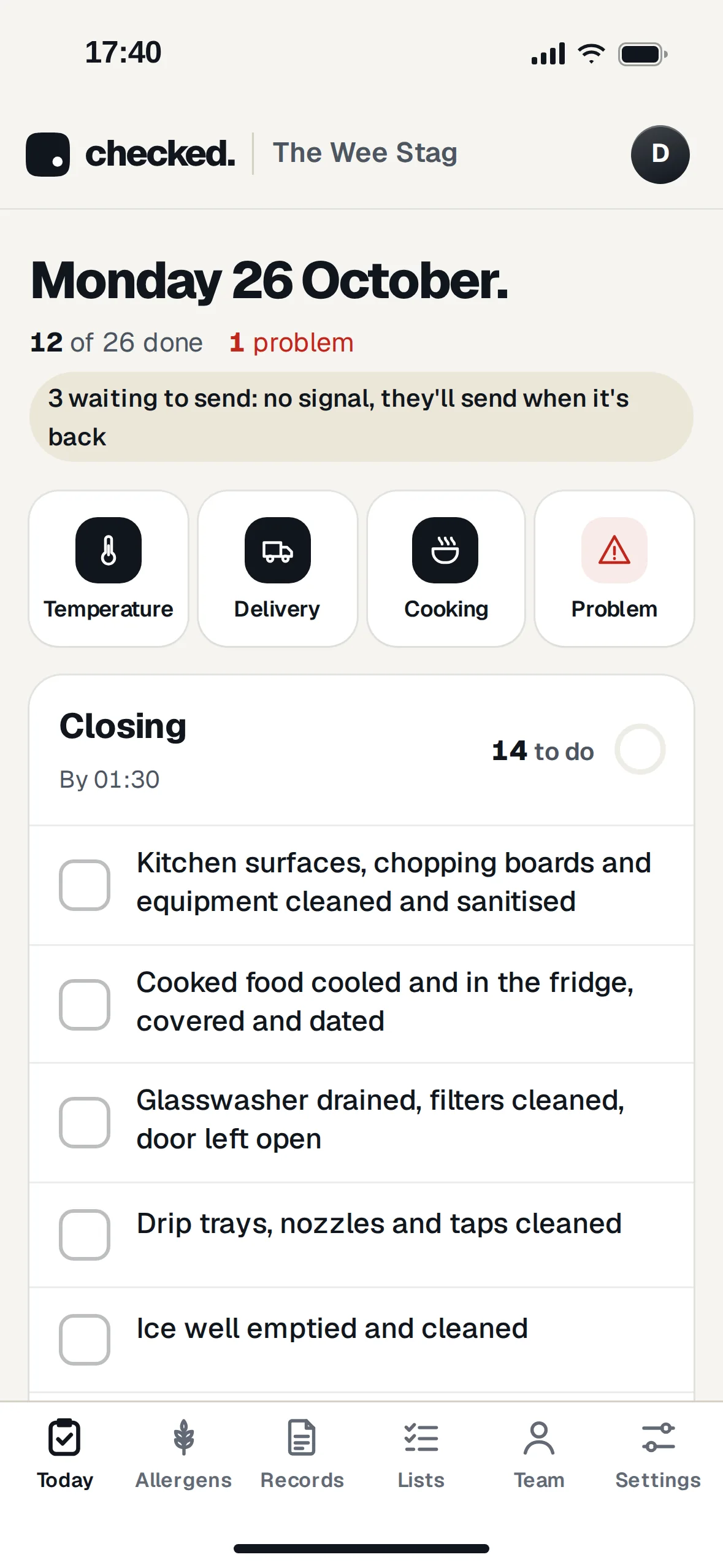
Checks you tick with no signal are kept on the phone and sent as soon as it's back. The page tells you how many are waiting, so nobody has to wonder.
- Opens without signal tooThe phone keeps a copy of today's lists, so it still works if you open it halfway down the cellar steps.
- Sent onceIf a check gets sent twice when the signal comes and goes, it's only saved once.
- The time you ticked itRecords show when the check was done, not when the phone found signal again.
Staff tick as themselves.
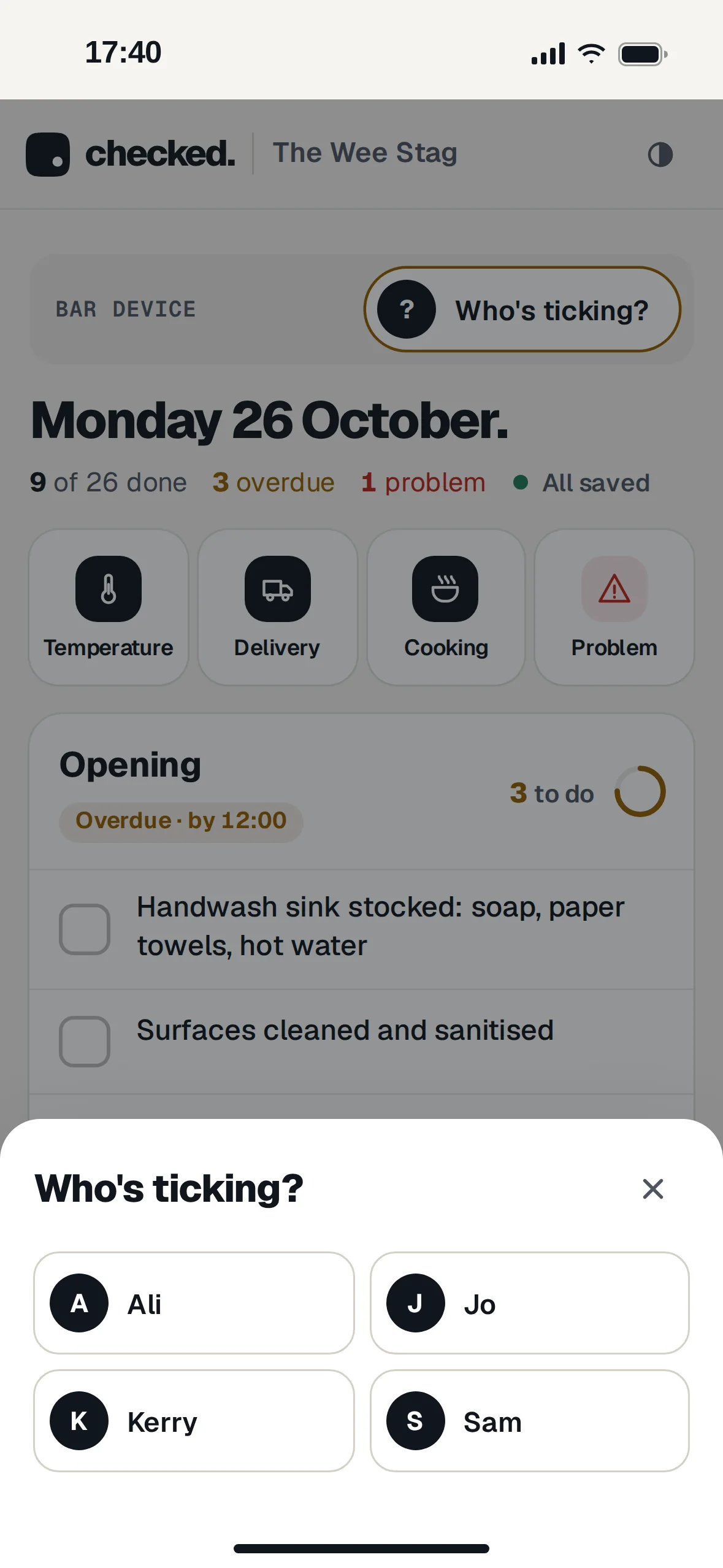
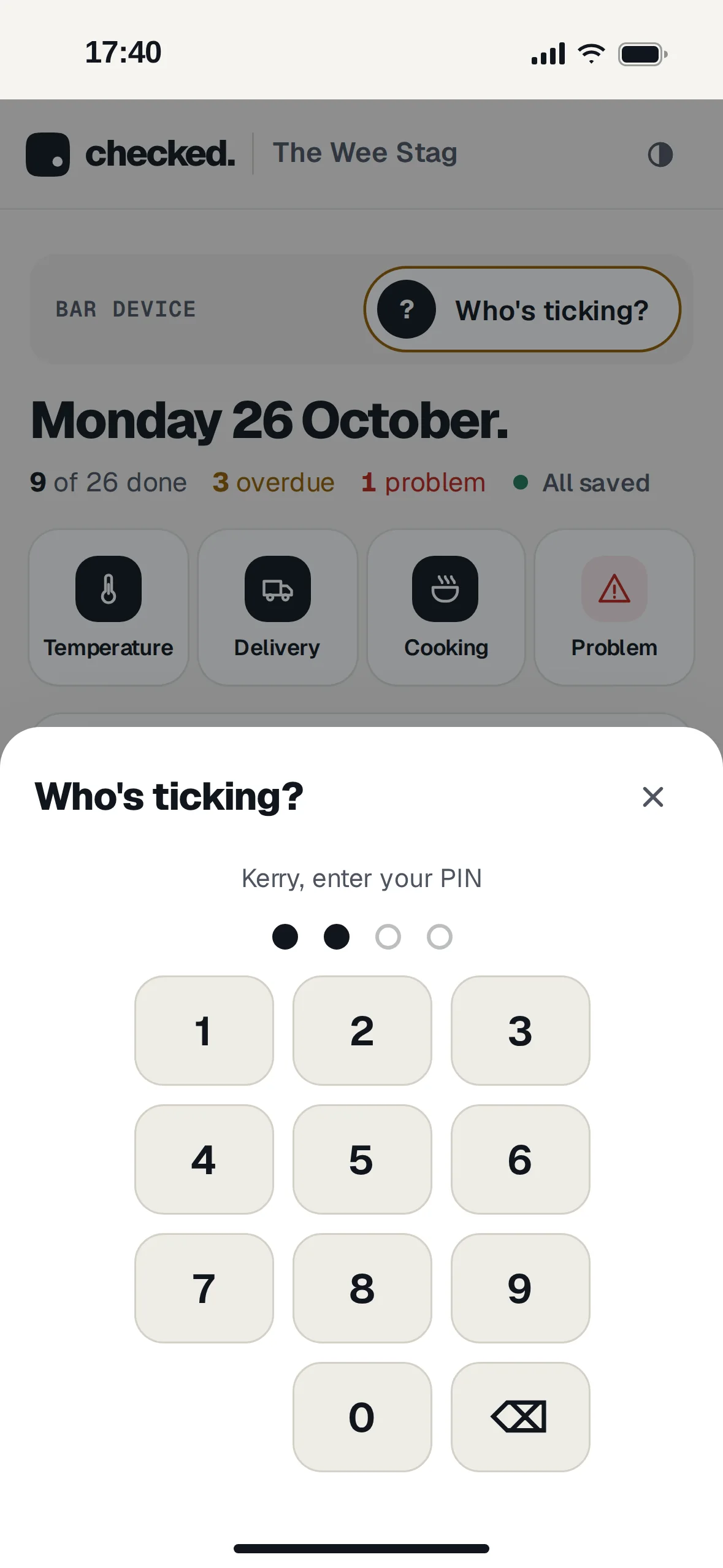
Turn the bar's phone or tablet into the bar device. Staff tap their name and a four-digit PIN, then tick away. Every check is saved under their name.
- No accounts for staffA manager adds names and PINs in Team. Nobody needs an email address or a password.
- Forgets you after ten minutesIf nobody touches it for ten minutes, the next person has to say who they are. No ticks under the wrong name.
- A manager's login never stays on itMaking a phone the bar device signs the manager out of it. Leavers come off the device in Team.
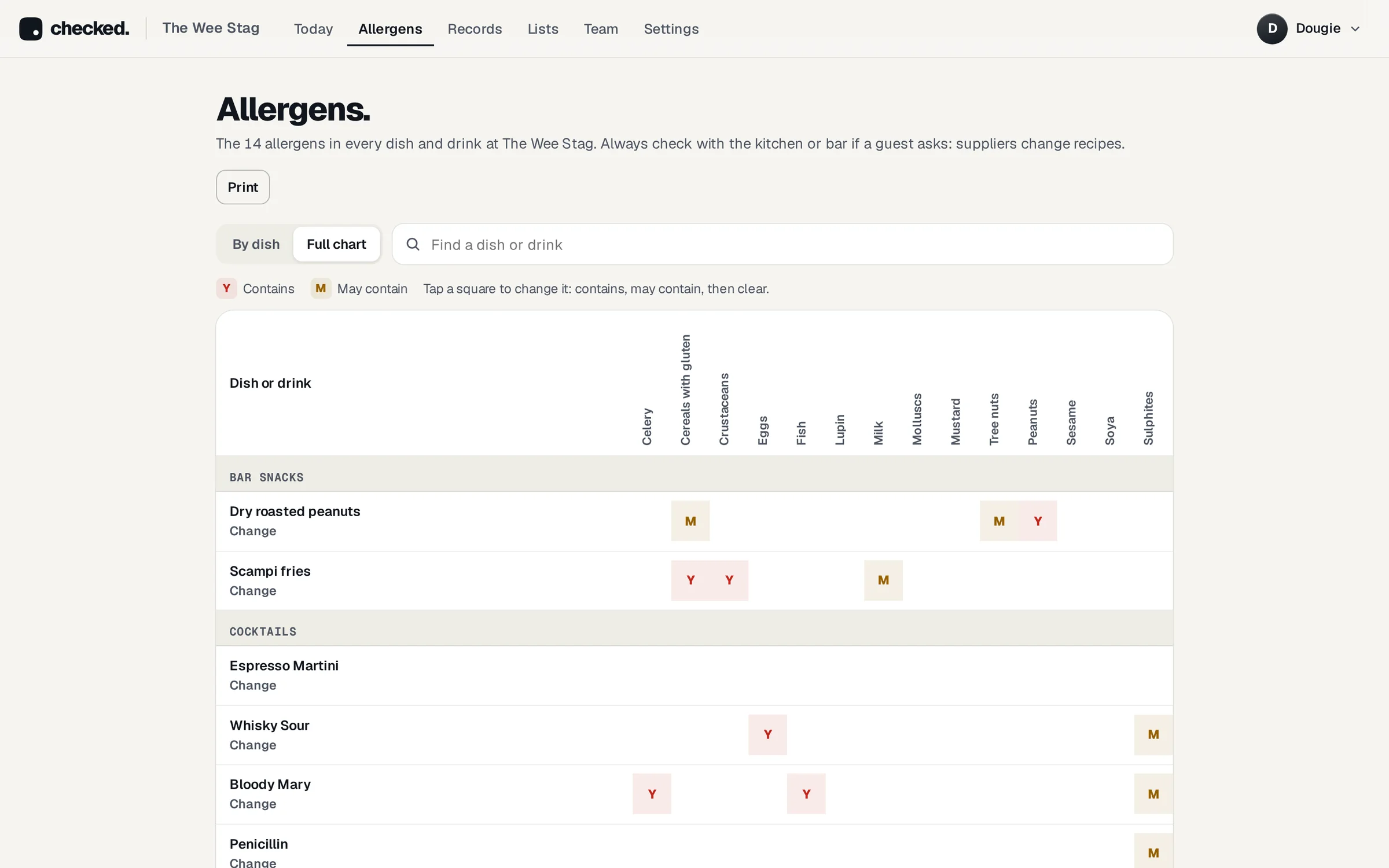
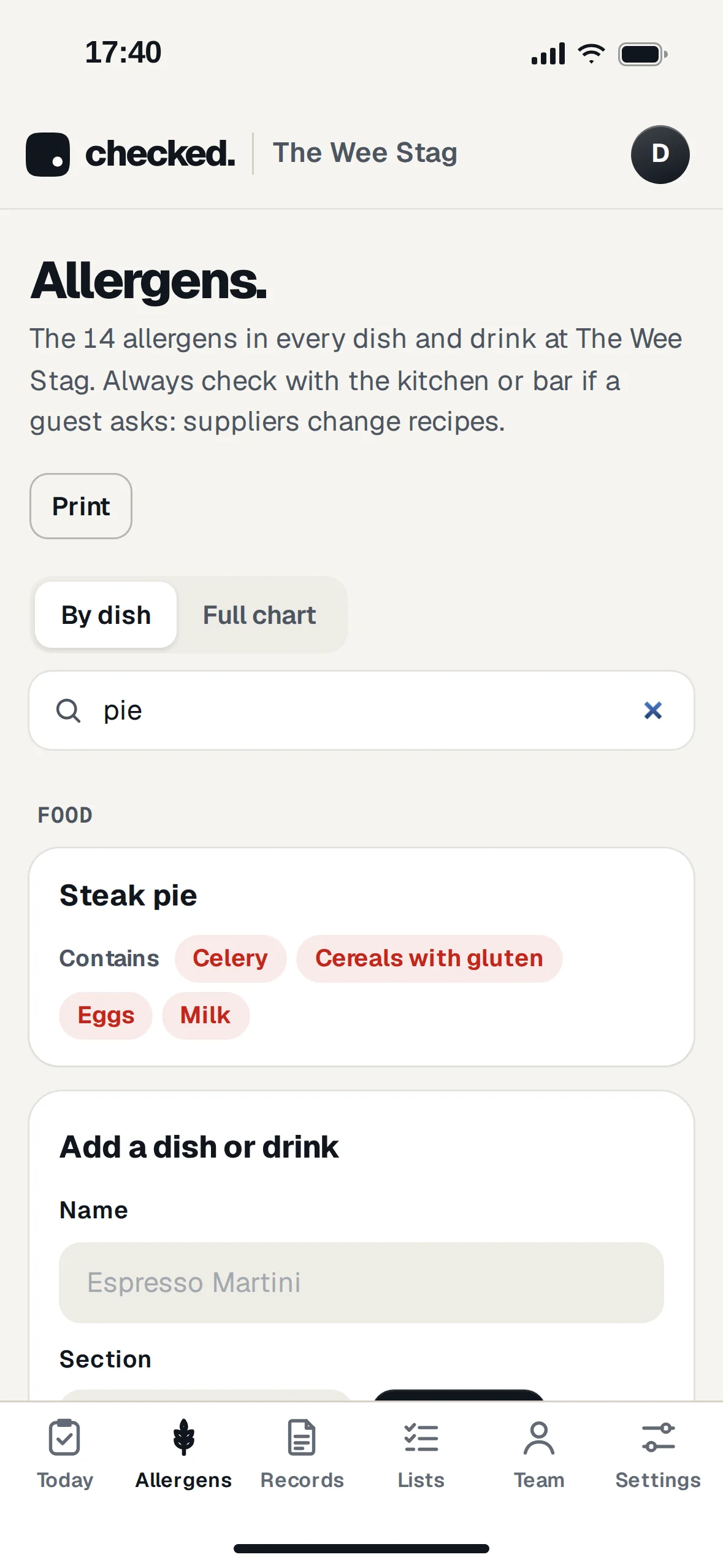
Every allergen in every dish.
When a guest asks what's in the steak pie, type "pie" and the answer comes up in words. "Contains" and "may contain" are kept apart.
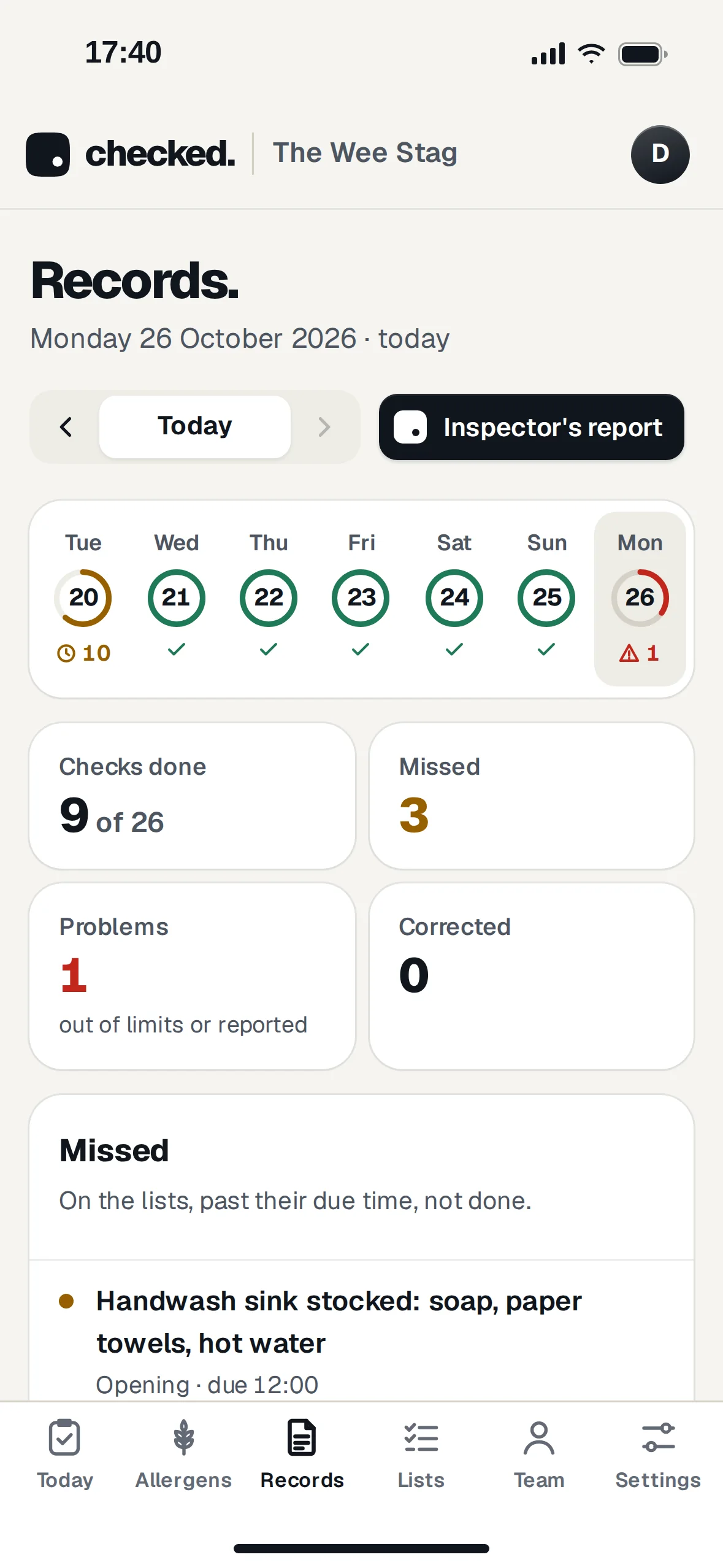
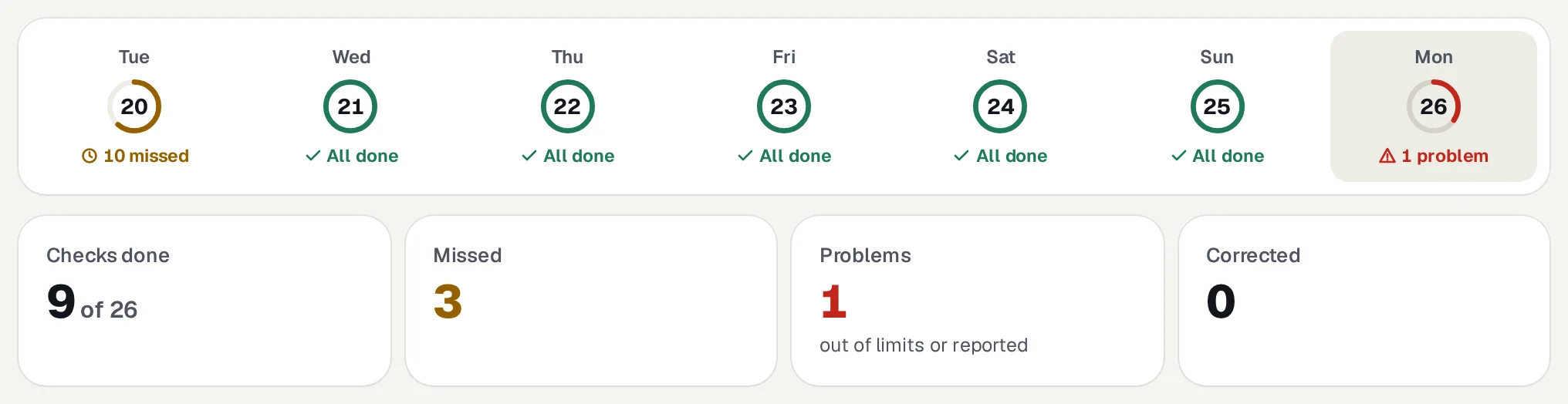
The whole week in one line.
Each day is a ring. A full green ring is a day with everything done. You can see a missed close or a warm fridge without opening anything.
The report an inspector asks for.
Pick the dates and download the report. It has every check with who did it and when, what was missed, and every problem with what was done about it.
- CookSafe names in ScotlandRecords use the names from Food Standards Scotland's CookSafe pack, the ones a Scottish inspector already knows.
- Day by dayA table of every day in the range: checks done, what was missed, and any problems.
- Says how the records are keptThe first page explains that checks are saved with a name and time and can't be changed or deleted, only corrected.

Built by people who've done the close.
One price with everything in it.
The first month is free and you don't need a card to start. After that there's no setup fee, nothing per person, and no contract.
- Opening, closing and weekly lists
- Fridge, freezer and cellar temperatures
- Deliveries and kitchen records
- Works with no signal
- Bar device with names and PINs
- The 14-allergen chart
- Emails when a list is late
- The inspector's PDF
- Unlimited staff
Fair questions.
Is it an app I download?
No. It runs in the browser on any phone, tablet or laptop. Add it to the home screen and it opens like an app.
Does it work without signal?
Yes. Checks ticked with no signal are kept on the phone and sent when the signal is back, with the time they were actually done. The page says how many are waiting.
Do my staff need their own logins?
No. On the bar device they tap their name and a four-digit PIN that a manager sets. Managers and owners have their own logins.
Is this all I need for an inspection?
Checked keeps the daily records an inspector asks to see. You still need your food safety pack (CookSafe in Scotland, Safer Food, Better Business in England and Wales) for the methods and house rules behind them.
What if someone types the wrong reading?
A manager corrects it in Records and gives a reason. The original stays on the record, struck through, so nothing quietly disappears.
Can I change the checks?
Yes. Your lists start from ready-made checks for your kind of place. Rename, reorder, add or remove any of them, and set the fridge limits to match your own pack.
What happens after the free month?
The owner adds a card and it's £9.99 a month for that venue. If you don't, your records stay there to read and download, but new checks are paused.
Can I cancel?
Any time. There's no contract and no notice period.
From the people behind Rota Done and Seated.
Rota Done makes staff rotas that show the real labour cost. Seated does table bookings. Both are for independent pubs, restaurants and cafés.
Try it on tonight's close.
Answer three questions about your place and your lists are ready. The first month is free.